
Free Shipping in the USA on nearly all items!
Limited phone hours during the Holidays! Call us: 888-611-9305
Free Shipping in the USA on nearly ALL items! Limited phone hours during the Holidays!

Yes, use a UL-listed surge protector, not just a power strip, for any grow light, driver, or controller. Baseline spec: a surge protector with a joule rating in the low thousands and a clamping voltage around 330 to 400V is recommended. Never daisy-chain units or overload a single circuit, and bring in a licensed electrician once you’re running multiple lights or a full tent buildout.
TL;DR:
- Use UL-listed surge protectors with joule ratings in the low thousands and clamping voltages around 330 to 400V to safely protect grow room equipment.
- Avoid daisy-chaining protectors or overloads on a single circuit; a dedicated circuit or professional electrician is necessary for multiple lights or large setups.
- Inspect and replace surge protectors every 2 to 5 years, especially after major electrical events or if the indicator light fails.
- Position surge protectors off the floor, route cords through channels, and verify proper grounding and bonding to prevent fire risks and protect against faults.
- Choose app-enabled protectors with remote reset and power sequencing to help monitor and manage high loads safely in automated grow room environments.
A power strip just adds outlets. A surge protector adds outlets and a defense mechanism: metal-oxide varistors (MOVs) that absorb excess voltage and clamp it before it reaches your equipment. When a spike hits, the MOV redirects the extra energy to the grounding wire instead of letting it pass through to your LED driver. Standard clamping thresholds sit around 330 to 340 volts, a benchmark set by UL Solutions for consumer-grade devices.
Grow rooms see more surge activity than most people expect. Storms and grid instability cause the obvious spikes, but nearby heavy motors, HVAC compressors cycling on and off, and even your own dehumidifier can send smaller voltage jolts through the same circuit your lights are plugged into. LED drivers and controllers, particularly vulnerable to these fluctuations, take repeated hits that shorten their lifespan long before they fail outright.
A few things a surge protector will not do:
Quick fact: the industry rule of thumb is a minimum of 600 joules, though grow-specific setups with multiple drivers do better closer to 1,000 or above.
Most surge protectors on store shelves are built for a lamp and a phone charger, not a 640W LED driver running twelve hours a day. Here’s what to check before you buy:
Pro Tip: Buy one size up from what your current setup needs. Growers add a second light, a CO2 controller, or an oscillating fan within the first season more often than not, and a protector maxed out on day one has no room for that.
Daisy-chaining, plugging one surge protector into another to add outlets, is one of the fastest ways to overload a circuit without realizing it. Misuse like this is a documented contributor to household electrical fires, and grow rooms compound the risk because the connected loads (drivers, fans, humidifiers, heaters) tend to run for hours at a stretch rather than intermittently.
Do the math before you plug in. A 20A circuit should carry no more than 16A of continuous load. Our breakdown of amps for grow room setups walks through this calculation with real fixture wattages if you want to run the numbers for your specific tent.
A surge protector does not create more capacity on that circuit. It just protects what’s already plugged into it, so once your combined draw creeps past 80% of the breaker’s rating, the fix is a dedicated circuit or a call to a licensed electrician, not a bigger power strip.
A short list for placement:
MOVs wear down every time they absorb a spike. It’s a one-way process. A protector that’s taken a handful of moderate hits has less capacity left than one that’s brand new, even if it still powers your lights just fine.
Here’s how to know when it’s time:
Customers ask us the same question in different forms: “Which surge protector do I actually need?” The answer depends on the setup, but the checklist stays consistent.
We pair this advice with product recommendations built around real cultivation loads, since a protector spec means little without knowing what it’s guarding.
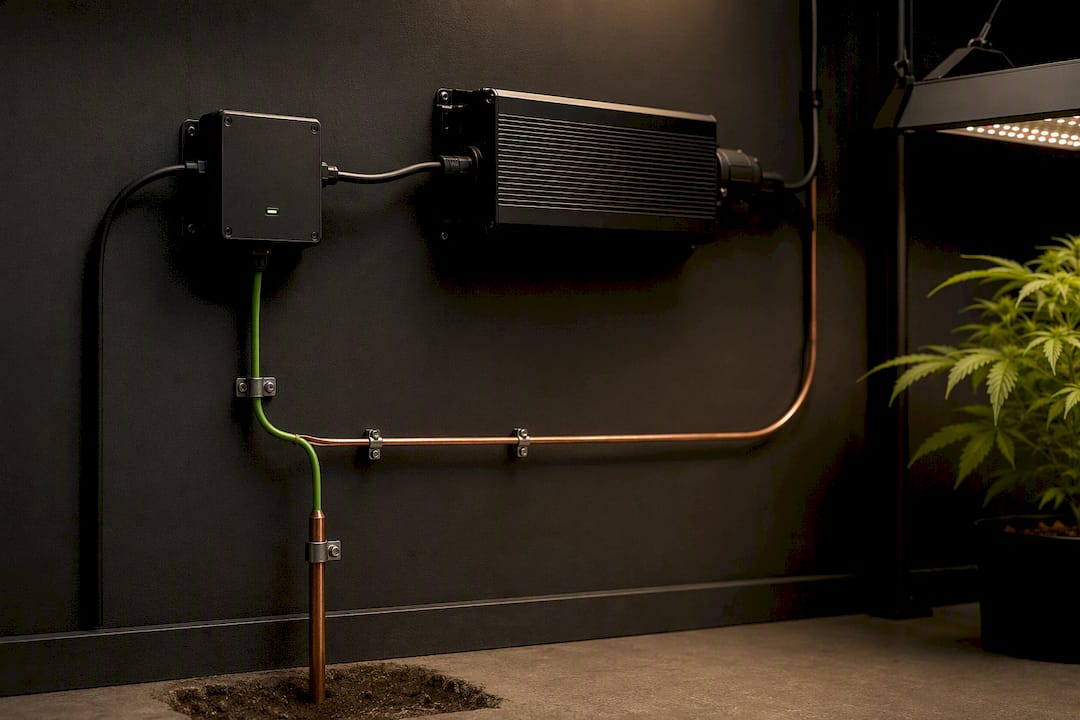
A surge protector only works as well as the ground it’s connected to. MOVs redirect excess voltage into the grounding conductor, so if that ground path is weak, corroded, or missing, the protector has nowhere to send the surge. This matters more in grow rooms than typical living spaces because converted basements, garages, and outbuildings often have older or improvised wiring.
Bonding ties all the metal components in a system, tent frames, ductwork, light hangers, back to the same ground reference so there’s no voltage difference between them. Without bonding, a metal tent frame near a faulty fixture can become energized without tripping anything, since the fault current has no clear path back to the panel.
A few practical checks:
This is one area where a quick professional check costs far less than a fried driver or a fire investigation.
Grow rooms create conditions that make electrical faults more dangerous than in an average room: sustained high loads running 12 to 18 hours a day, elevated humidity, and equipment often packed into a tight tent space with limited airflow around the wiring itself.
Faulty use of surge protectors and power strips is a documented contributor to household fires, and the failure modes are predictable: overloaded circuits generating heat at the plug, degraded MOVs that no longer clamp effectively, and cheap units with undersized internal components that weren’t built for continuous industrial-style loads in the first place.
A few fire-prevention habits worth building into your routine:
If a protector ever trips repeatedly without an obvious cause, that’s not something to reset and ignore. It’s usually a sign of an internal fault or a circuit carrying more load than it should.
Grow rooms run hotter and wetter than the rooms surge protectors are typically designed for. That environmental mismatch shortens the working life of the internal components faster than most growers expect.
Heat accelerates MOV degradation. A varistor rated to absorb a certain number of surge events over its lifespan will absorb fewer of them if it’s sitting in a tent running at 80°F with poor airflow around the electrical components. The plastic housing and internal connections also age faster under sustained heat, which is part of why construction quality and thermal cutout design matter as much as the joule number printed on the box.
Humidity introduces a separate risk: condensation on internal contacts and slow corrosion of metal components, especially in flowering rooms where humidity often spikes overnight. This is where GFCI protection earns its place, not as a surge safeguard, but as a shock-prevention layer that works alongside your surge protector rather than replacing it.
Practical adjustments for humid or hot tents:
Modern grow rooms increasingly run on app-based controllers that manage light schedules, fan speeds, and environmental targets from a phone. Surge protection needs to work with that setup, not around it.
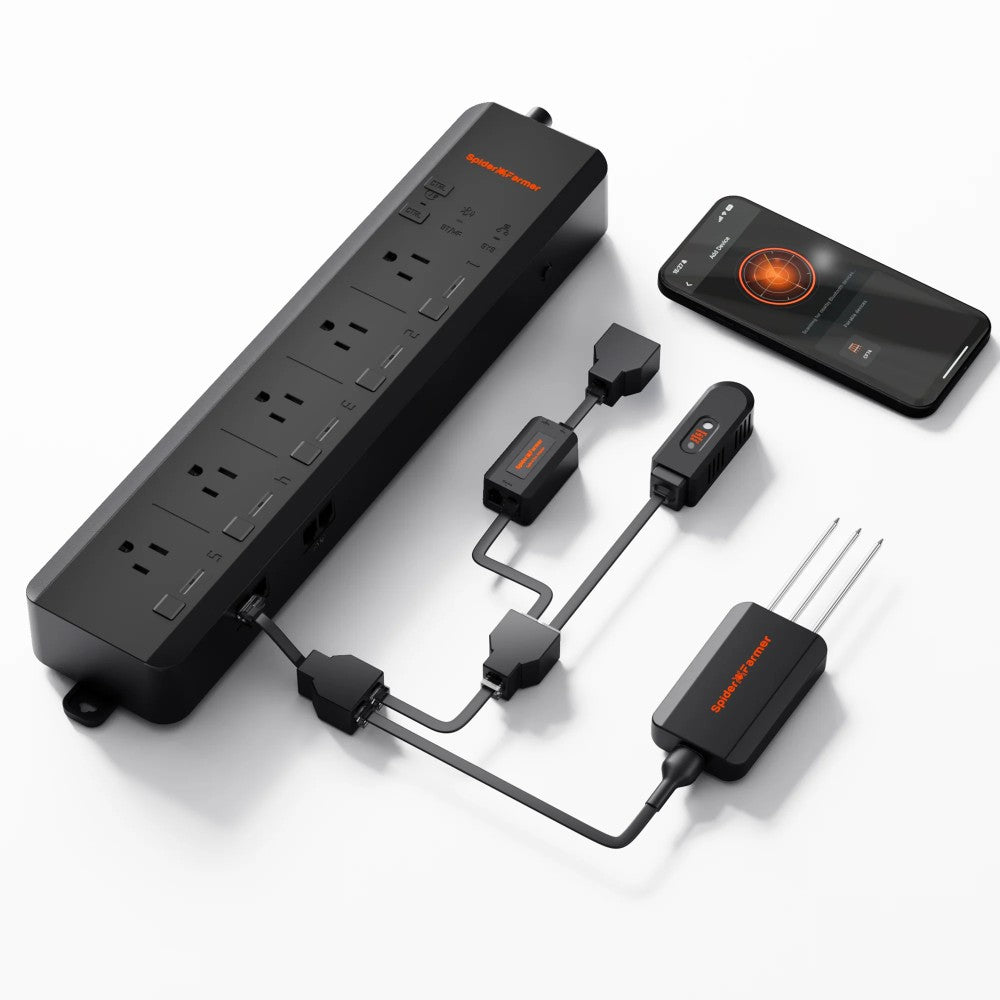
An app-enabled power strip lets you monitor which outlets are drawing power, reset a stuck device remotely, and in some cases schedule power sequencing so multiple high-draw devices don’t all pull current at the same instant. That staggered startup matters more than it sounds. A driver, a fan, and a dehumidifier all kicking on simultaneously creates a momentary current spike of its own, separate from any external surge.
For growers running lighting controllers as part of a broader automation setup, pairing that controller with a surge-protected, app-monitored power strip closes a gap that a basic timer never covered. If the controller locks up at 2 a.m., a remote reset beats a trip to the grow room in your pajamas.
The tradeoff is added complexity. Every smart device is another point of failure, and a Wi-Fi dependent power strip is only useful if your network stays reliable. Keep a manual override or a simple physical switch as a backup for anything mission-critical, like your main light schedule, so a dropped connection never leaves a fixture stuck on or off for hours.
Most surge protector advice online treats every use case the same, whether it’s a desktop computer or a 1,000W light running twelve hours a day for four months straight. That’s the gap. Grow rooms put sustained, heavy, continuous loads on equipment that consumer-grade protectors were never stress-tested for, in an environment loaded with humidity and heat that shortens component life faster than a living room ever would.
The conventional advice, “buy something UL-listed and move on,” isn’t wrong, but it’s incomplete. It skips the part where growers add a second light, then a CO2 controller, then an oscillating fan, until a strip rated for a modest load is quietly running at capacity nobody planned for. Joules and clamping voltage matter, but so does headroom for the setup you’ll have in six months, not just the one you have today.
If there’s one thing worth prioritizing above spec sheets, it’s the load calculation. Know your amps before you know your joules. A surge protector on an overloaded circuit is solving the wrong problem entirely.
— Scott
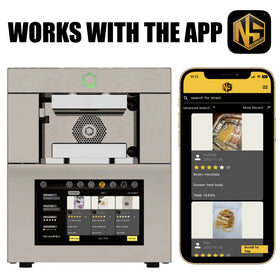
There are practical solutions available for growers who want surge protection and power management working together instead of stitched together from separate purchases. The Spider Farmer GGS AC5 Power Strip Kit pairs app-based control with power sequencing and remote reboot, so you’re not climbing into a humid tent to cycle a stuck driver at midnight.
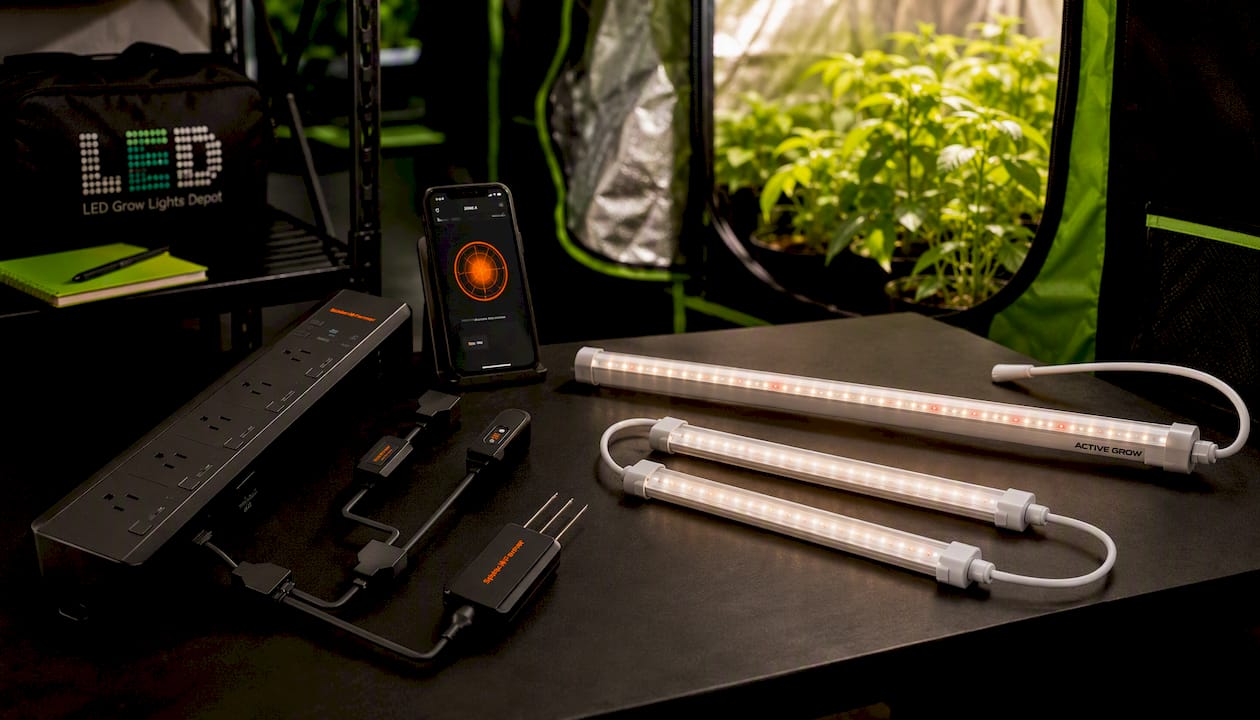
It’s built to guard exactly the kind of equipment this article covers: LED drivers, controllers, and fans running long hours under real load. If you’re lighting a tent with something like the Active Grow Integrated Strip T5 or adding supplemental coverage with the Spider Farmer Glow30, the AC5 kit gives you one power hub with room to grow instead of another strip crammed into an already tight tent. Check the AC5 kit’s spec page and see if it fits your current outlet count and load.
For deeper technical grounding, UL Solutions explains MOV clamping and circuit capacity limits. Belkin’s surge protector resource covers joule ratings and construction quality. The Spruce offers plain-language replacement and safety guidance, and Wirecutter documents real fire risks from misuse. For SPD internals, see this technical overview of surge protective devices.
0 of 3 items selected

Leave a comment